
yt-dlp button
the yt-dlp command, right on the YouTube page
Chrome, Edge, Firefox · v0.4.1 · 0.2 MB
Source on GitHub · Release notes
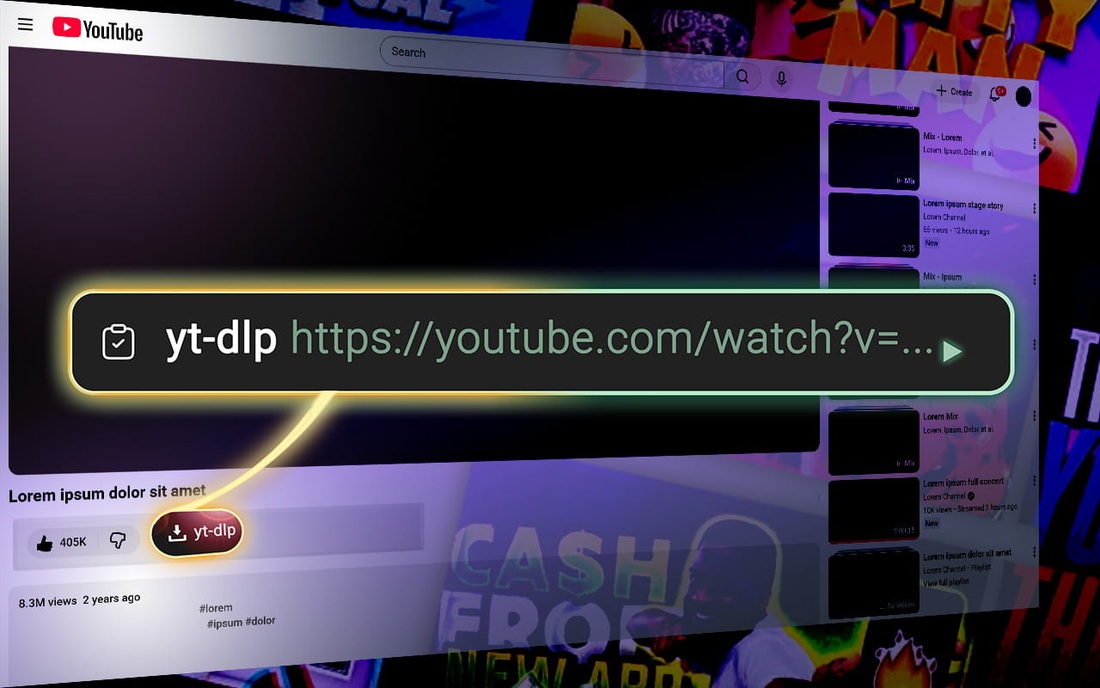
The button generates a yt-dlp command straight on a YouTube page.
This extension does not download files. You run that generated command yourself to download.
How to actually download
- Download yt-dlp (yt-dlp).
- Open Command Prompt (Windows) or Terminal (macOS/Linux).
- Paste the command copied by the extension and press Enter.
Installation
- Chrome: Chrome Web Store or
chrome://extensions/→ Developer mode → Load unpacked → select thesrcfolder. - Edge: Microsoft Edge Add-ons or
edge://extensions/→ Developer mode → Load unpacked → select thesrcfolder. - Firefox: Firefox Add-ons or
about:debugging→ This Firefox → Load Temporary Add-on → selectsrc/manifest.json(or load thesrcfolder via a signed build). Firefox 109 or newer is required.
On YouTube
A new button appears below the video, next to the action row (Like, Share, etc.).
Click the yt-dlp button to copy the command for the current video. Use the optional In and Out buttons to set start and end times from the current playback position.